Inserting a scene and deleting a scene are not available in the same place. In other words, to add a scene, on the menu bar, click Insert, then click Scene. The stage tab name changes from Scene 1 to Scene 2. You are now modifying Scene 2.
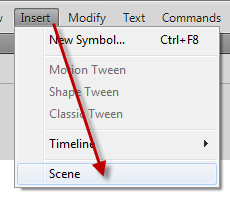
How do you switch back to Scene 1. In the panel that holds your stage and pasteboard, click the scene icon that looks like a director’s clapperboard. The current scene will be marked with a checkbox.
Now, you don’t want Scene 1 anymore. How to you delete it? I could not find a ‘Delete Scene’ from the menu bar and cannot delete it from the director’s clapperboard icon.
To delete Scene 1,y ou have to click Windows on the menu bar, click Other Panels, then click on Scene.
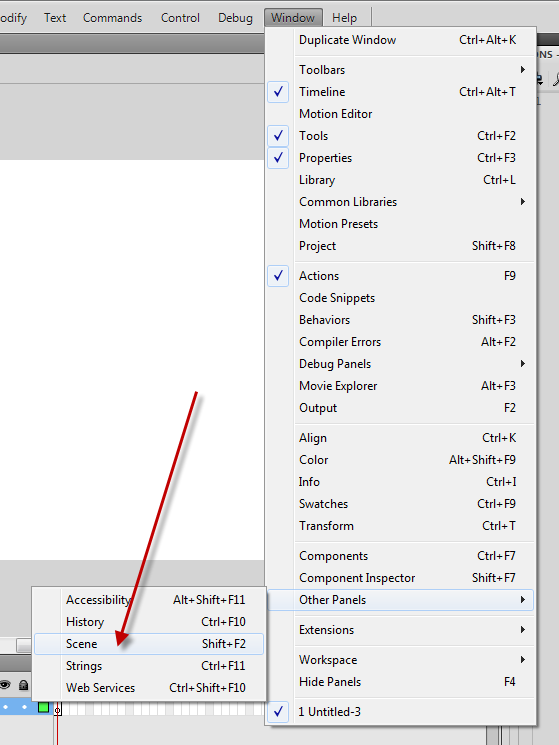
Highlight the scene you want to delete, then click the garbage can icon.
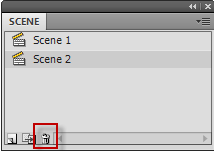
If desired, you can also you the this Scene window to insert scenes.