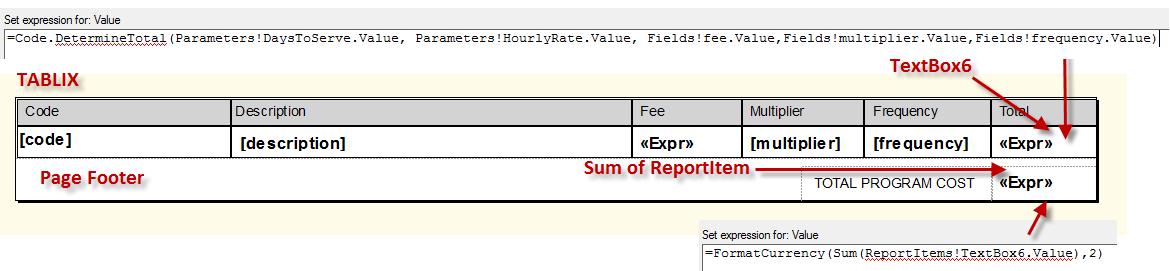
Use the following expression to reference a textbox in a SSRS report. Assuming your textbox name is TextBox6:=ReportItems!Textbox6.Value.That was simple, but now you want to sum on the report item textbox.The problem that you are facing is the expression in TextBox6 is not a database field, but a computation. You can’t reference Report Items that are computed as a Sum Field.SCENARIO:
Textbox6 is in a tablix column of a row that can be many based on the rows in a table within a database. You can’t do this within the tablix itself by adding a row outside the group in order to sum TextBox6. You will get an aggregate scope error. Again, you can do this if the TextBox references a field from a database, not a computation.
The solution is to create a Page Footer and do the summing there.