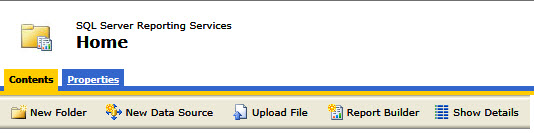
SQL Reports – Can’t access SQL Reports (Exception from HRESULT: 0x80070005 (E_ACCESSDENIED)


ERROR

[UnauthorizedAccessException: Access is denied. (Exception from HRESULT:
 0x80070005 (E_ACCESSDENIED))]

 [FileLoadException: Could not load file or assembly
 'System.Web.RegularExpressions, Version=2.0.0.0, Culture=neutral,
 PublicKeyToken°3f5f7f11d50a3a' or one of its dependencies. Access is
 denied.]
 System.Web.Configuration.RegexWorker..cctor() +0

SOLUTION

Go to the Reporting Services Configuration Manager and …

Microsoft Visual Studio – Fixing a Broken Toolbox (in Visual Studio 2010 SP1)

When starting Visual Studio 2010, it would hang for about 30 seconds trying to load the toolbox. I found this solution online and it worked for me:

++++++++++++++++++++++++++++++++++++++++++++++++++++++++

http://michaelcrump.net/fixing-a-broken-toolbox-in-visual-studio-2010-sp1

I was recently running into a situation where every time I …

SQL Server Management Studio – Error message when you try to save a table in SQL Server: “Saving changes is not permitted”.

This problem occurs when “Prevent saving changes that require table re-creation” option is enabled.

Solution:

Go into Tools -> Options -> Designers-> Uncheck “Prevent saving changes that require table re-creation”.…

SQL Server Reporting Services (SSRS) – How to display information only on the last page within the page footer

Since SSRS does not have a report footer, it can be challening to figure out how to display information one time within the page footer on the last page. Here is one workaround that works well.

At the top of …

SQL Server Management Studio – Creating Foreign Key Relationships on Tables with Data

Using the Database Diagram, you can create a Primary/Foreign Key relationship between two tables. But if the tables already have data, the relationship will fail to establish. If you are sure you won’t have orphaned data, the resolution is to …

SQL Server Reporting Services (SSRS)– Call a DLL assembly

1) Create an external Assembly DLL (Class Library). You can use Framework 3.5.

a) Name it ‘DataForSSRSReport’.
b) Rename the default class to ‘clsDataForSSRS’. Make sure the class is Public.
c) Use ‘Private Shared’, ‘Public Shared Property’, and ‘Public Shared …

Active Reports – How to access a public variable on a parent report from a sub report.

In the ActiveReport-ReportStart section of your parent report, you can assign any object type to the Report object variable, ‘UserData’

UserData is a public object of the DataDynamics.ActiveReports.ActiveReport.

Scenario:

Let’s say you are using a Watermark in your parent report. …