Disable the Power Off option for the adapter:
1. Open Device Manager. (Win Key+R > type devmgmt.msc > OK)
2. Expand the Network adapters.
3. Right click on the Ethernet/Wireless Adapter and click Properties.
4. Click the Power Management …
Author: James
Wireless – Wireless Router Asking for Username, Password and Logon Domain
Control Panel ->
Network and Internet ->
Network and Sharing center ->
Set up a new connection or network
Manually connect to a wireless network and click NEXT
Network Name: Type in network name that shows up for your router…
WordPress – Better Search Replace Plugin – Changing directory path of an uploaded file
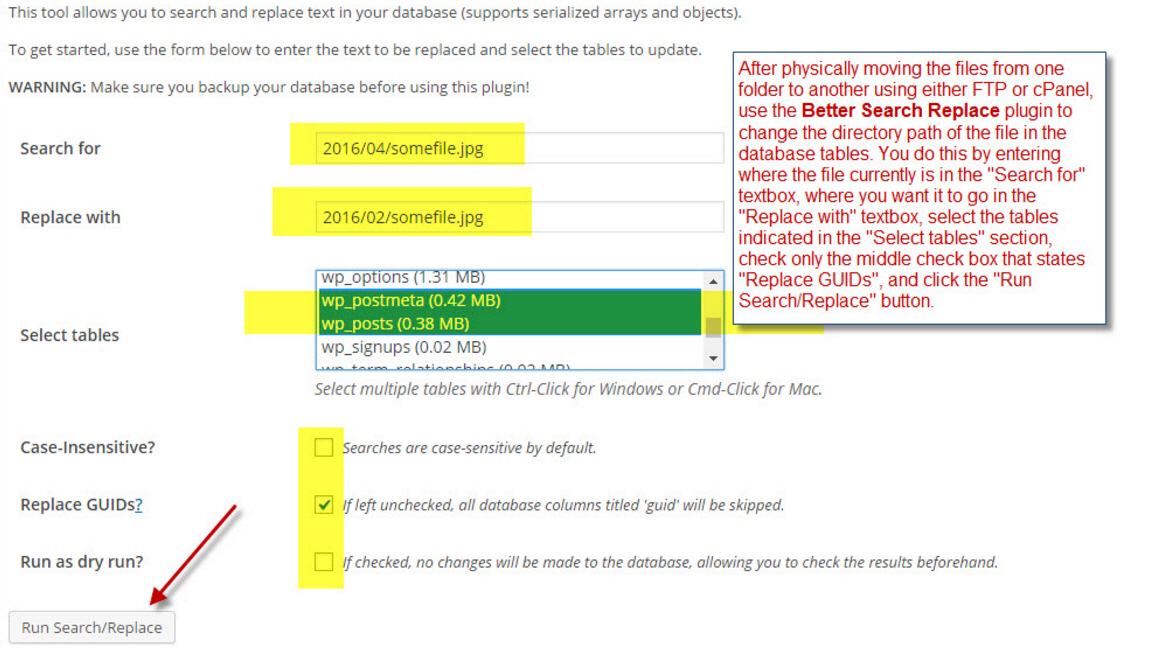 …
…
SQL Server Reporting Services (SSRS) – Alternating row color with visible rows
Use the Alternating Row Color code function and call it from the BackgroundColor property of the tablix row column.
Here is the Function that needs to be placed in the Code tab of the Report Properties window:
Function AlternateColor(ByVal OddColor SQL Server Reporting Services (SSRS) – Add a Group Row Header to an Existing Group Row
If you want to add a group row header to an existing group row in order for that group row header to repeat on each group break, do the following.
- In the Row Groups Panel below the report designer in
Microsoft Visual Studio – ASP.Net This Collection Already Contains an Address with Scheme HTTP
This collection already contains an address with scheme http.
There can be at most one address per scheme in this collection.
If your service is being hosted in IIS you can fix the problem by setting ‘system.serviceModel/serviceHostingEnvironment/multipleSiteBindingsEnabled’ to true or …
SQL Server – Multiple data rows into one generated column, XML Path char(13), and removing that last carriage control in SSRS Expression
Let’s say you have a table called ‘car_make’ and another table called ‘car_model’. There is a one to many relationship between make and model.
You want to bring back a result set of all makes, 1 row per make, but …
How to turn off Windows Defender in Windows 7
After uninstalling Microsoft Essentials, Windows Defender automatically takes over quietly in the background. If you want to install another antivirus protection program, you must turn off Windows Defender.
Here is how.
In the search box, type, Windows Defender.

Click Windows …
Windows – How to Turn On or Off Windows Defender in Windows 10
In Windows 10 you can turn off Windows Defender real-time protection, but it will only be temporary. Windows will automatically turn real-time protection back on if it’s off for a while.
You can turn Windows Defender off with three simple …
Windows – Task Scheduler – Delete Missing Tasks Within the Registry
Ever since upgrading to Windows 10, sometimes ,when I open the Task Scheduler, I get error dialogs stating that certain tasks are missing. Why? I don’t know. But to clean it up, you can just delete them from the registry …